Understanding Reports
The TachoData application generates detailed reports from driver card data. The reports help track driving times, identify infringements, and prepare mandatory attendance sheets.
Report types
The reports are divided into three tabs:
Events
56-day graphical timeline view of driving activities
Infringements
Infringement report in PDF format according to EU Regulation 561/2006
Attendance
Monthly attendance sheet in PDF format, exportable
Events tab
The Events tab displays a 56-day graphical timeline view where you can review all of the driver's activities. The chart shows the different activities using colour coding:
- Driving - the vehicle was in motion
- Work - other work activities (e.g. loading)
- Availability - waiting, standby
- Rest - rest period
The chart is zoomable: use your fingers to zoom into the details, so you can review daily activity with minute-level precision. Tapping on a day opens the detailed event list for that day with timestamps. Tapping any item in the event list at the bottom automatically zooms the chart to the selected event. Tapping on GNSS coordinates displays the position on the map.
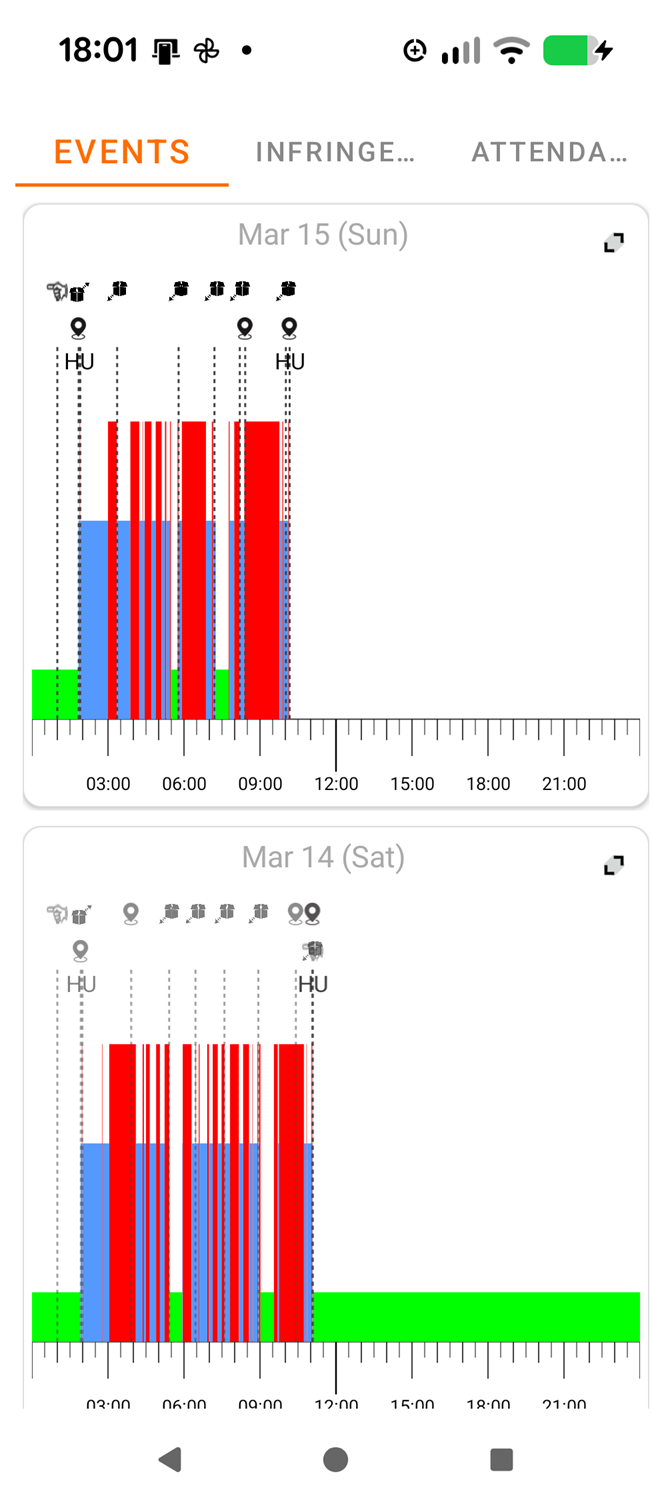
Events overview
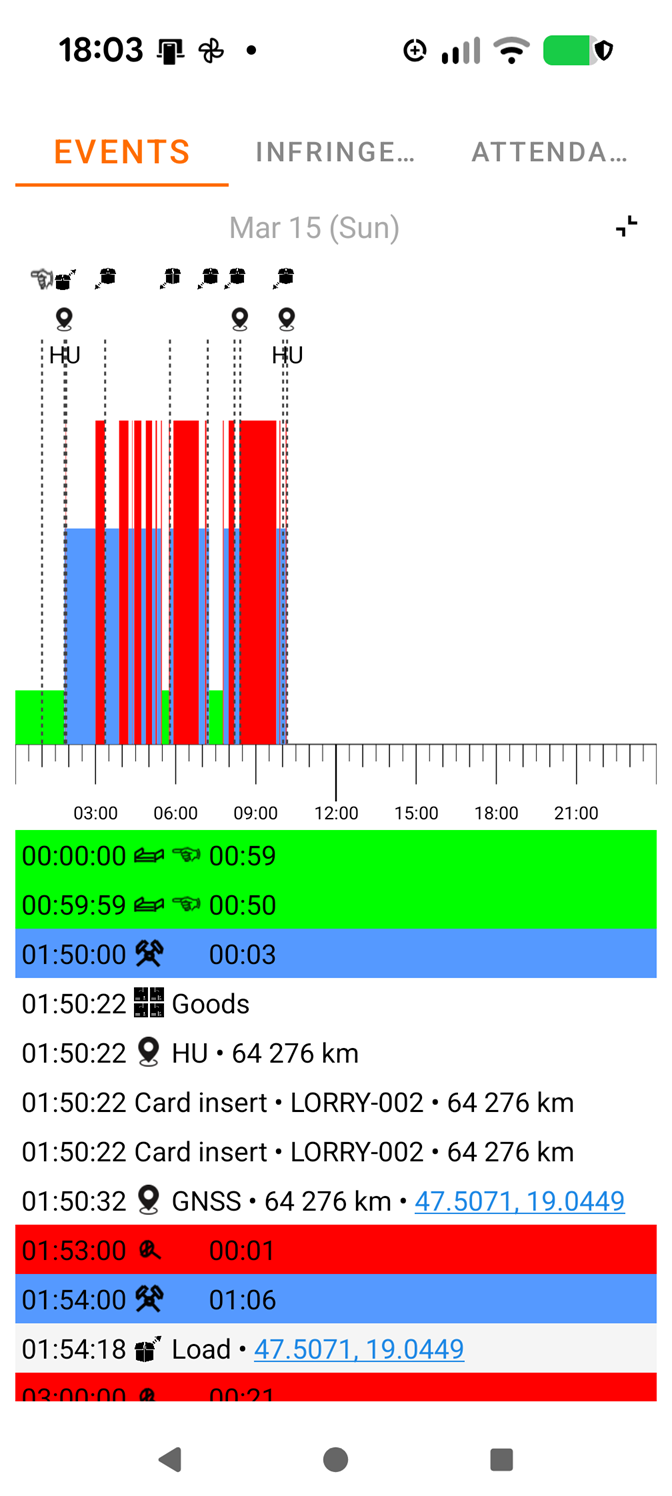
One day detailed view
Infringements tab
The Infringements tab lists violations according to EU Regulation 561/2006. The report can be downloaded and shared in PDF format. The checked rules include:
- Daily driving time exceeded
- Weekly driving time exceeded
- Fortnightly driving time exceeded
- Continuous driving time (without a break)
- Daily rest period violation
- Weekly rest period violation
Attendance tab
The Attendance tab displays the driver's working time records on a monthly basis. The following options are available:
- PDF export - the attendance sheet can be downloaded in PDF format
- Send email - the report can be sent directly by email
- You can navigate between months forwards and backwards
Sending reports by email
Reports can also be sent by email. The email contains the report and the associated .ddd file (the raw driver card data).
Tip
The .ddd files can be kept for archiving purposes. These files contain all the card data and can be reprocessed if needed.